If the S2 was the experiment, the ESP32-S3 is the one that worked out: two cores, Bluetooth, native USB and, on top of that, vector instructions that speed up AI. It is the chip inside camera boards, voice assistants and almost any “big” ESP32 project.
That said: it is the most expensive of the family and, if you are not going to use what it brings, you are overpaying.
What it is
| Thing | Value |
|---|---|
| Cores | 2 × Xtensa LX7 @ 240 MHz |
| SRAM | 512 KB |
| Wi-Fi | 802.11 b/g/n (2.4 GHz) |
| Bluetooth | BLE 5 (no classic Bluetooth) |
| GPIOs | up to 45 |
| ADC | 20 channels, 12-bit |
| Touch | 14 channels |
| USB | native OTG |
| PSRAM | up to 8 MB (module dependent) |
Notice two things: it has no DAC (unlike the classic and the S2) and its Bluetooth is BLE only, just like the C3.
What makes it special: vector instructions
The S3 adds 128-bit SIMD aimed at neural networks. In practice that means a small voice or gesture model runs several times faster than on a classic, with no GPU or external accelerator.
That is why camera boards and home “assistants” use an S3 instead of a C3.
PSRAM: quad vs octal (and the price in pins)
There is a trap here that bites many people. S3 modules come in several combos, for example N8R2 (8 MB flash + 2 MB PSRAM) or N8R8 (8 MB + 8 MB), and the PSRAM can be quad or octal:
- Quad PSRAM — uses fewer pins.
- Octal PSRAM — faster, but it eats GPIO33–GPIO37.
And in any configuration, GPIO26–GPIO32 are taken by the flash (and by the PSRAM when present). Translation: do not count on 45 GPIOs if the module has memory. Always check the specific module datasheet.
Pinout: the essentials
| Pin(s) | What for |
|---|---|
| GPIO19 / GPIO20 | USB D− / D+ |
| GPIO1–10 | ADC1 |
| GPIO11–20 | ADC2 |
| GPIO1–14 | Touch |
| GPIO0, 3, 45, 46 | Strapping |
| GPIO26–32 | Flash/PSRAM (do not use) |
| GPIO33–37 | extra if the module has octal PSRAM |
The usual peripherals are still there (SPI, I2C, I2S, UART, PWM, RMT) plus a camera interface (LCD_CAM) able to move video.
Boards and modules
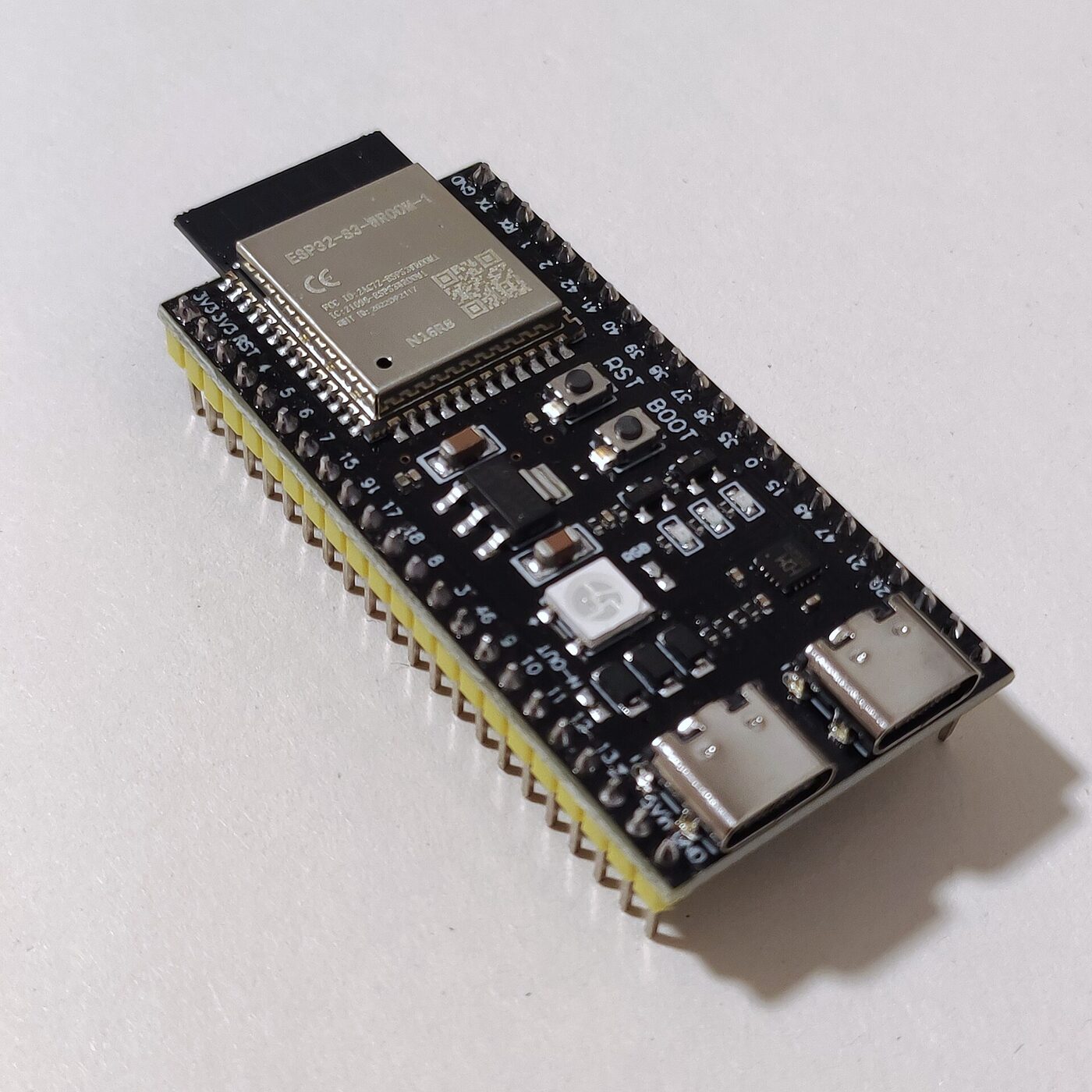
- ESP32-S3-WROOM-1 / 1U — the standard module (the “U” has an external antenna).
- ESP32-S3-MINI-1 — small, for your own PCB.
- ESP32-S3-DevKitC-1 / DevKitM-1 — the development boards.
- ESP32-S3-EYE — board with camera and display, for vision.
- ESP32-S3-DevKitC-1 N16R8 — the higher-memory version.
When to pick it (and when not to)
Yes, pick the S3 if…
- You are doing vision, audio or on-device AI.
- You need a camera or to drive displays.
- You want two cores and native USB.
- You need PSRAM for large buffers.
Do not pick it if…
- You just want to read sensors and publish over Wi-Fi: a C3 does the same for far less.
- You need classic Bluetooth (it only has BLE): that is the classic.
- You need a DAC: the S3 has none; use the classic or the S2.
Typical mistakes
- Buying an S3 without PSRAM and then wanting vision or audio.
- Buying octal PSRAM and discovering you lose GPIO33–37.
- Assuming it has classic Bluetooth (it is BLE only).
- Counting on GPIO26–32 when they are taken by memory.
Summary
- 2 × LX7 cores, 512 KB SRAM, BLE 5 and USB OTG.
- Vector instructions make it the best ESP32 for AI and multimedia.
- Quad or octal PSRAM: octal is faster but uses more pins.
- It has no DAC and no classic Bluetooth.
- It is the “big” option: if you do not need camera/AI, a C3 is more than enough.
Next step: the ESP32-C3, the one I recommend to start with. Or go back to the series hub.